At AgeGO, our mission is to provide a robust, privacy-first age verification solution, ensuring it meets regulatory requirements while delivering a smooth experience for users and businesses alike. One of the ways end users can sign in to AgeGO is with a Passkey.
What Are Passkeys?
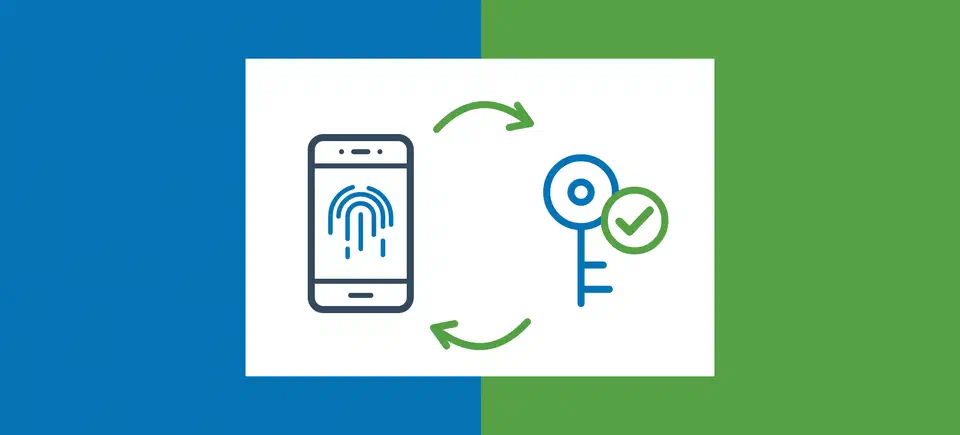
A Passkey is a modern way to sign in without a password or a code. End users confirm it’s them the same way they unlock their device: with their fingerprint, Face ID or device PIN. The end user’s device keeps a secret key that never leaves it, so there is nothing to type, remember or give away.
How To Set Up Passkeys for AgeGO
It can be carried out in a few simple steps:
- The end user completes their age verification using AgeGO’s approved methods.
- After a successful verification, the “Save your verification” screen lets the end user create their AgeGO account with a Passkey in one step. No email address is needed. End users can also save their verification with their email and a one-time code (OTP), or with Google.
- End users who already have an AgeGO account can add a Passkey at any time from the My Account page.
- On return visits, the Passkey confirms the end user’s identity quickly and securely.
- Age-restricted access is granted based on the verified age status already on record. If the verification method on the end user’s account is not accepted in their current country, the end user will be asked to verify again with a method that is accepted there.
How End Users Manage Their Passkeys
End users can manage their Passkeys from the My Account page. There they can see which provider stores each Passkey (for example Apple iCloud Keychain or Google Password Manager), when it was created and when it was last used. End users can remove a Passkey at any time. This does not affect their other Passkeys, and end users can always sign in with their email and a one-time code.
Why We Offer Passkeys at AgeGO
We added Passkeys to give users more choice and a better experience. AgeGO already meets strict regulatory and compliance requirements for age assurance. Our existing authentication methods are secure and reliable. However, we know that for many returning users, traditional logins can feel repetitive or time-consuming, especially when accessing age-restricted services regularly.
Importantly, Passkeys are an additional login option, not a mandatory change. Users can continue to sign in with their email and a one-time code (OTP), or with Google, if they prefer.
How Passkeys Improve the User Experience
Here are some key advantages for end users:
- A faster, more convenient login option: With Passkeys, there’s no need to type an email address and code, wait for an email or copy a one-time code. With Passkeys, authentication happens almost instantly using the built-in security features of the end user’s device. So there are fewer steps to see the content end users want to see.
- Reduces friction for repeat users: Passkeys let end users instantly see content on their favorite websites or any website that uses AgeGO, without any additional need to verify their age again, as long as their verification method is accepted in their country.
- Familiar and intuitive: Most people already unlock their devices multiple times a day using biometrics or a PIN. Passkeys build on that familiar behavior, making secure login feel effortless rather than technical.
- Security and Privacy Benefits: Passkeys are also more secure than codes sent by email to enter a specific website or service. Even if a user is tricked into visiting a fake site, their Passkey simply won’t work there.
Privacy-First Architecture
Passkeys align closely with AgeGO’s privacy-by-design approach:
- Only a public key is stored on AgeGO’s servers, and it can’t be used to sign in on its own.
- No sensitive login data transmitted during authentication.
- The end user’s biometric data (such as a fingerprint or face scan) never leaves their device, it is used locally only to unlock the Passkey.
How Passkeys Fit Into AgeGO’s Authentication and Age Assurance Flow
It’s important to be clear: Passkeys do not replace age verification. Passkeys are used solely for authentication, confirming that a returning user is the same person who previously completed AgeGO’s age assurance process. Our age verification checks do not change. Passkeys make it easier to return, but they don’t make it possible to avoid age checks.
Looking Ahead
More and more apps and websites now use Passkeys, and people expect signing in to be fast and safe. Passkeys give AgeGO users exactly that, while age verification stays at the heart of what we do.
Want to use AgeGO as your website’s age verification solution? Contact us for more information.